Instagram Reels Not Showing? Easy Solutions
Instagram Reels have become one of the most powerful ways to gain views, followers, and engagement on social media. However, many users suddenly face a frustrating issue where Instagram Reels stop showing properly on their feed, Explore page, profile, or app menu. Some users cannot upload reels, while others notice that reels disappear completely or fail to reach audiences.
This complete guide explains why Instagram Reels are not showing, the most common reasons behind the problem, and easy solutions that work for Android, iPhone, and desktop users worldwide. Whether you are a creator, influencer, business owner, or casual user, these troubleshooting methods can help restore Instagram Reels quickly.
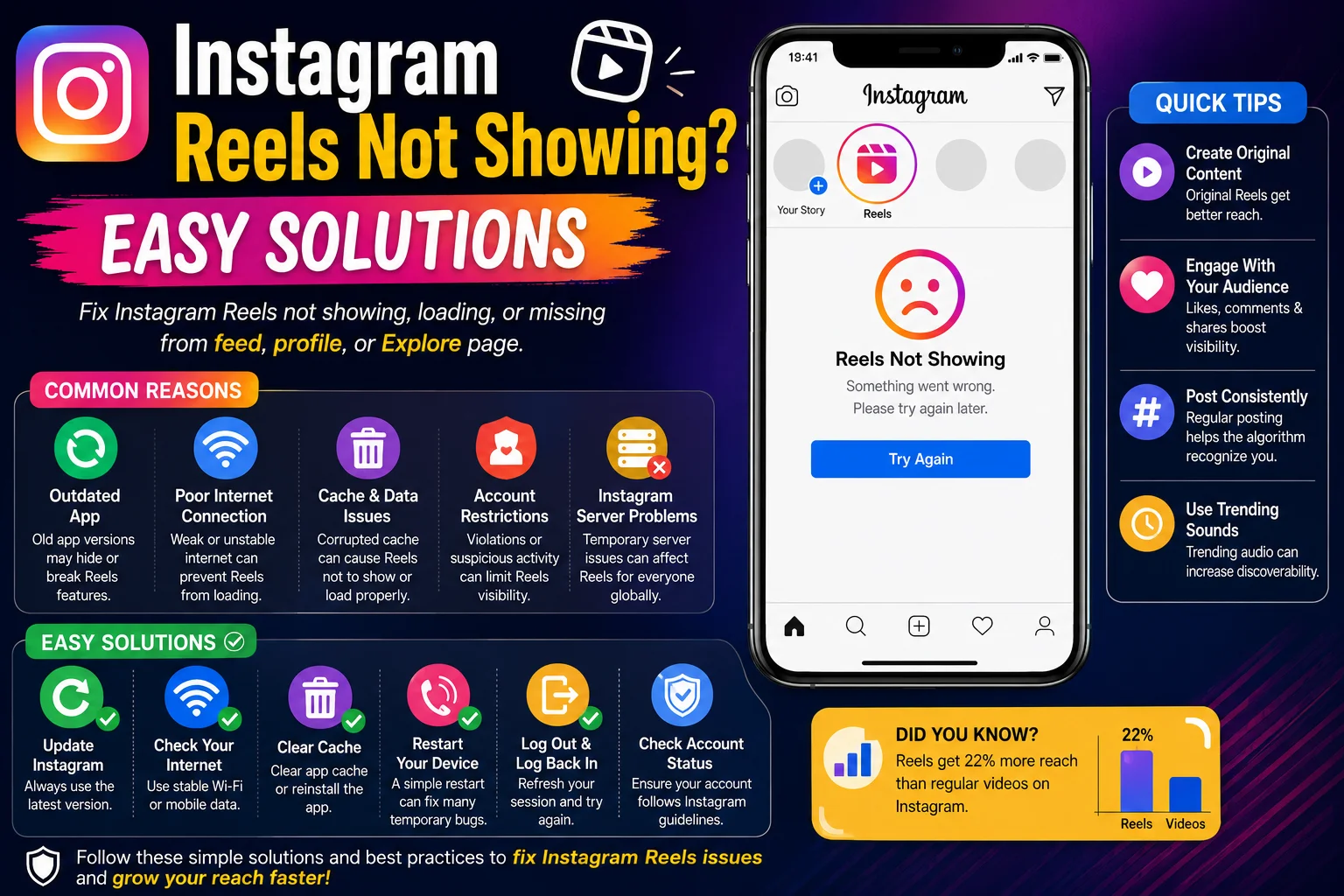
Why Instagram Reels May Stop Showing
Instagram Reels may disappear or stop functioning for several technical and account-related reasons. In some cases, the issue comes from Instagram’s servers or app updates, while in other situations it may involve account settings, internet problems, outdated applications, or regional feature limitations.
Common causes include:
-
Outdated Instagram app
-
Slow internet connection
-
Corrupted app cache
-
Account restrictions
-
Instagram server issues
-
Unsupported device version
-
Region-based feature limitations
-
Temporary app glitches
Understanding the root cause helps users solve the issue faster instead of repeatedly reinstalling the app without knowing the actual problem.
Outdated Instagram App Can Hide Reels
One of the biggest reasons Instagram Reels stop showing is using an outdated version of the Instagram application. Instagram frequently updates its features, interface, and security systems. Older app versions may not support the latest reel functionality properly.
For example, a user running a six-month-old Instagram version may not see new reel features available to updated users. This often causes missing reel tabs, playback problems, or uploading errors.
How to Update Instagram
-
Open Google Play Store or Apple App Store
-
Search for Instagram
-
Tap “Update” if available
-
Restart your device after updating
Regular updates improve compatibility, fix bugs, and ensure access to the newest Instagram features and reel improvements.
Poor Internet Connection Causes Reels Loading Issues
Instagram Reels require stable internet access because videos consume higher bandwidth compared to regular photos or text posts. Weak Wi-Fi networks or unstable mobile data can prevent reels from loading correctly.
Users experiencing network-related issues may notice:
-
Endless loading circles
-
Black screen on reels
-
Reels not playing smoothly
-
Delayed uploads
-
Missing reel recommendations
Example of Network Impact
| Internet Speed | Reel Performance |
|---|---|
| Strong 5G/Wi-Fi | Fast loading and playback |
| Moderate 4G | Occasional delays |
| Weak Connection | Reels fail to load |
| Unstable Public Wi-Fi | Playback interruptions |
Switching between Wi-Fi and mobile data often fixes temporary connectivity issues immediately.
Instagram Cache Problems Affect Reels Visibility
Instagram stores temporary cache files to improve loading speed and app performance. Over time, corrupted cache files may interfere with reel functionality, causing missing tabs, playback errors, or app crashes.
Many Android users successfully fix reel problems simply by clearing Instagram cache files. This process removes temporary corrupted data without deleting account information.
Steps to Clear Instagram Cache
-
Open Device Settings
-
Go to Apps
-
Select Instagram
-
Tap Storage
-
Choose Clear Cache
For iPhone users, reinstalling the Instagram app achieves a similar effect because iOS does not offer direct cache clearing options.
Keeping cache files optimized helps Instagram function smoothly and improves overall app performance.
Instagram Reels Feature Not Available in Some Regions
Instagram gradually releases features across different countries and devices. Some users may not see reels because the feature has not fully rolled out in their region yet or because certain account types receive updates later.
For example, newly launched reel editing tools or monetization options may initially appear only in selected countries before becoming globally available.
Regional restrictions may depend on:
-
Local regulations
-
Device compatibility
-
Account age
-
Beta testing phases
-
Server deployment schedules
Users facing regional limitations should keep their apps updated and wait for official feature expansion rather than downloading risky modified applications.
Account Restrictions or Violations Can Limit Reels
Instagram may reduce reel visibility or disable certain features if an account violates community guidelines or shows suspicious activity. Accounts using spam tactics, automation tools, or copyrighted content are more likely to experience restricted reel functionality.
Possible restriction triggers include:
-
Posting copyrighted videos
-
Excessive spam behavior
-
Fake engagement services
-
Automation tools or bots
-
Community guideline violations
Example of Restriction Impact
If a creator repeatedly uploads copyrighted movie clips without permission, Instagram may temporarily limit reel distribution or disable reel monetization features.
Users should regularly check Account Status settings inside Instagram to identify possible policy violations affecting account performance.
Instagram Server Problems May Affect Reels
Sometimes the issue is caused by Instagram’s own servers rather than the user’s device or account. Global outages, maintenance updates, or temporary technical failures can interrupt reel visibility for millions of users simultaneously.
During server-related problems, users may experience:
-
Missing reels tab
-
Reels not uploading
-
Blank reel feed
-
Slow loading
-
Audio synchronization problems
Common Server Issue Effects
| Server Problem | Result |
|---|---|
| Maintenance Update | Temporary reel errors |
| Global Outage | Reels unavailable worldwide |
| Regional Server Failure | Problems in specific countries |
| Heavy Traffic Load | Slow reel playback |
Checking online outage trackers or social media discussions can confirm whether the issue is affecting multiple users globally.
Device Compatibility Issues and Older Phones
Older smartphones sometimes struggle to support advanced Instagram reel features because of hardware limitations or outdated operating systems. Devices with low RAM, insufficient storage, or unsupported Android/iOS versions may experience missing or lagging reels.
Users with older phones may notice:
-
Reels crashing frequently
-
Videos freezing
-
Missing editing tools
-
Delayed uploads
-
Poor playback quality
To improve reel performance:
-
Free up device storage
-
Close background applications
-
Update operating system
-
Restart the device regularly
Modern app features often require updated hardware and software for stable performance.
Reels Not Showing on Explore Page
Many creators become frustrated when their reels stop appearing on Instagram Explore pages because this reduces organic growth significantly. Explore visibility depends heavily on engagement quality, audience retention, originality, and algorithm performance.
Low-performing reels often struggle to appear on Explore because Instagram prioritizes content with:
-
High watch time
-
Strong audience retention
-
Shares and saves
-
Original video content
-
Positive engagement signals
Creators should focus on improving content quality instead of relying solely on trends or reposted videos.
Easy Solutions to Fix Instagram Reels Not Showing
Most reel-related problems can be solved using basic troubleshooting methods if users follow the correct process systematically.
Recommended Fix Checklist
-
Update Instagram app
-
Restart your smartphone
-
Clear Instagram cache
-
Switch internet connection
-
Log out and log back in
-
Reinstall Instagram
-
Check Instagram server status
-
Review account restrictions
-
Update phone software
-
Avoid third-party apps
Users should avoid downloading unofficial Instagram mods because they may create security risks and increase account restriction chances.
Best Long-Tail Keywords for Instagram Reels Problems
Using long-tail SEO keywords improves content discoverability and helps attract targeted search traffic from users actively searching for reel solutions.
Important keywords include:
-
instagram reels not showing fix
-
why instagram reels disappeared
-
instagram reels not working solution
-
fix instagram reels loading problem
-
reels tab missing on instagram
-
instagram reels not showing on explore page
-
instagram reels not uploading properly
-
how to restore instagram reels feature
-
instagram reels playback issue fix
-
why reels are not visible on instagram
These keywords align with real-world user search behavior and improve ranking opportunities on search engines.
Final Thoughts
Instagram Reels not showing can happen because of app glitches, outdated software, poor internet connectivity, server outages, account restrictions, or device compatibility problems. While the issue can feel frustrating, most users can restore reel functionality through simple troubleshooting methods and proper app maintenance.
The best long-term solution is keeping Instagram updated, maintaining strong internet connectivity, avoiding spam activity, and creating original high-quality content. Users who follow Instagram guidelines and regularly optimize their devices usually experience fewer reel-related problems and better overall account performance.









