Instagram Broadcast Channel Guide for Creators
Instagram continues to evolve beyond a simple photo-sharing platform into a complete communication and community-building ecosystem. One of its most impactful additions in recent years is the Instagram Broadcast Channel feature. Designed for creators, influencers, brands, businesses, and public figures, broadcast channels allow one-way communication with followers in a highly engaging and scalable format.
As audiences increasingly demand direct interaction and exclusive content, Instagram broadcast channels have emerged as a powerful solution for real-time updates, announcements, engagement strategies, and community nurturing. Unlike traditional posts or stories, broadcast channels create a more intimate communication environment where creators can share messages directly with followers who voluntarily subscribe to receive updates.
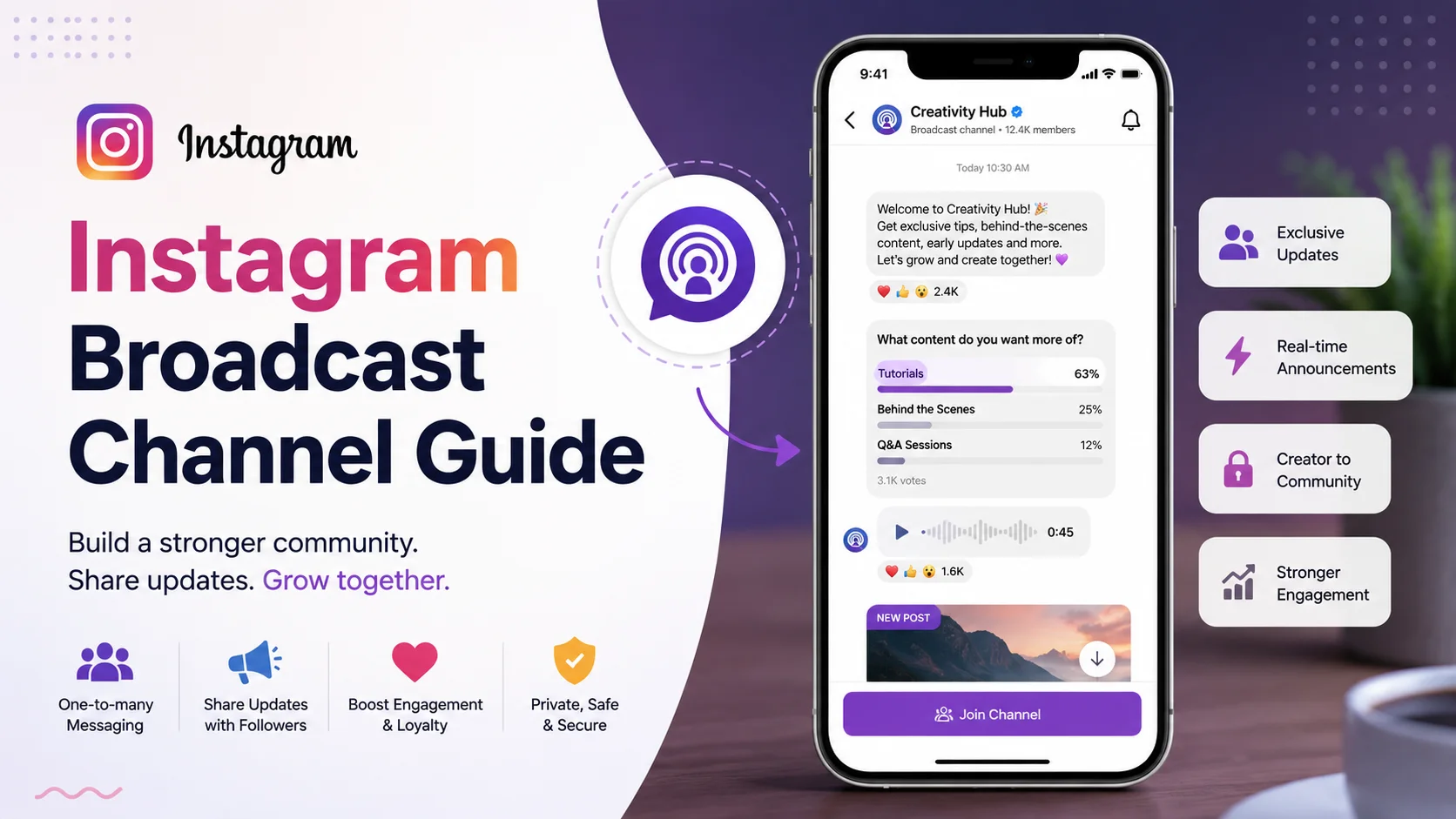
This detailed Instagram Broadcast Channel Guide explains everything you need to know about the feature, including how it works, why it matters, key benefits, practical usage strategies, performance insights, common mistakes, SEO applications, and step-by-step setup instructions.
Whether you are a content creator, entrepreneur, marketer, educator, or business owner, understanding Instagram broadcast channels can help you build stronger audience relationships and increase long-term engagement.
What Is Instagram Broadcast Channel Guide?
An Instagram broadcast channel is a messaging-based communication tool that allows creators and brands to send updates directly to followers who join their channel. Unlike group chats, followers cannot freely send messages inside the channel, which helps maintain organized communication and prevents spam.
The Instagram Broadcast Channel Guide refers to the complete process of understanding, creating, optimizing, and managing broadcast channels effectively for audience engagement and community growth.
Broadcast channels can include:
-
Text updates
-
Voice notes
-
Photos
-
Videos
-
Polls
-
Event announcements
-
Exclusive news
-
Behind-the-scenes content
-
Product launches
-
Educational insights
The feature is designed primarily for one-to-many communication, allowing creators to maintain a closer relationship with followers without overwhelming public feeds.
Instagram introduced broadcast channels to help creators strengthen direct audience interaction while improving content visibility and retention within the platform ecosystem.
Why Instagram Broadcast Channels Matter
Instagram broadcast channels matter because social media algorithms continue to reduce organic reach for standard posts. Many creators and brands struggle to maintain consistent visibility among followers. Broadcast channels solve this challenge by delivering updates directly to subscribers through Instagram notifications.
This communication model increases the likelihood that audiences will see important announcements, exclusive content, and community updates. In many cases, followers who join a broadcast channel are highly engaged users who already trust the creator or brand.
Broadcast channels also support community building. Instead of relying solely on public comments or disappearing stories, creators can establish a dedicated communication hub that encourages stronger audience loyalty.
Another reason broadcast channels matter is audience exclusivity. Subscribers often feel like insiders because they receive early updates, exclusive announcements, and personal insights not always shared publicly.
Growing Importance in Creator Marketing
The creator economy has become highly competitive. Instagram broadcast channels provide creators with:
-
Direct communication access
-
Higher engagement opportunities
-
Audience segmentation
-
Faster content distribution
-
Improved community retention
For brands, this feature improves customer relationships and creates stronger audience trust.
How Instagram Broadcast Channels Work
Instagram broadcast channels function similarly to a large-scale messaging feed where creators can send updates to followers who choose to join the channel. The creator acts as the primary sender while followers interact mainly through reactions, polls, and limited engagement tools.
When a creator launches a broadcast channel, followers receive an invitation to join. Users can also discover channels through creator profiles or story links.
Once inside the channel, creators can share:
-
Daily updates
-
Exclusive content
-
Event reminders
-
Product information
-
Community announcements
-
Educational material
Channel Interaction System
Broadcast channels maintain communication efficiency by limiting follower messaging capabilities. This helps prevent spam and keeps conversations organized.
Followers can typically:
-
React to messages
-
Participate in polls
-
Respond to prompts
-
Vote on decisions
Creators maintain moderation control while still encouraging audience participation.
Notification-Based Engagement
One of the most valuable aspects of Instagram broadcast channels is notification delivery. Followers who enable notifications are alerted whenever creators post updates, significantly increasing visibility compared to standard feed posts.
Key Features
Instagram broadcast channels include several advanced features that help creators communicate efficiently while maintaining audience engagement. These features support content distribution, community management, and interactive experiences.
One-Way Communication Structure
The primary feature is the one-way communication model, where creators send updates directly to followers without opening unrestricted public discussion.
Poll Integration
Creators can launch polls to gather audience opinions, conduct market research, or encourage participation.
Voice Notes
Voice notes help creators deliver personalized communication in a more authentic and engaging format.
Multimedia Support
Broadcast channels support:
-
Images
-
Videos
-
Links
-
Voice recordings
-
Text updates
Exclusive Content Distribution
Creators can share limited-access information, early announcements, and subscriber-only insights.
Real-Time Updates
Broadcast channels allow instant communication for:
-
Live event updates
-
Breaking announcements
-
Product launches
-
Promotional campaigns
Benefits and Advantages
Instagram broadcast channels offer substantial advantages for creators, influencers, brands, and businesses seeking better audience engagement and stronger communication systems.
Improved Audience Reach
Since updates appear directly in follower inboxes, creators often experience better visibility than standard feed posts.
Stronger Community Relationships
Broadcast channels create a more personal communication experience, increasing trust and loyalty.
Higher Engagement Rates
Subscribers who voluntarily join a broadcast channel are typically more engaged than average followers.
Better Content Distribution
Creators can quickly distribute:
-
Important announcements
-
Exclusive updates
-
Educational content
-
Product launches
Enhanced Brand Authority
Consistent, high-quality communication positions creators and businesses as reliable industry authorities.
Simplified Audience Communication
Broadcast channels reduce the need for repetitive story updates or multiple feed posts.
Real-World Example
Imagine a fitness creator with 500,000 Instagram followers launching a broadcast channel for workout updates and nutrition advice.
Inside the channel, the creator shares:
-
Weekly workout plans
-
Daily motivation messages
-
Supplement recommendations
-
Live session reminders
-
Fitness challenges
Followers receive notifications whenever new content is posted, increasing participation and engagement.
Similarly, an e-commerce brand may use broadcast channels for:
-
Flash sale announcements
-
Early product launches
-
Discount codes
-
Customer feedback polls
-
VIP member updates
This direct communication strategy improves conversion rates while strengthening customer loyalty.
Recommended Usage Guidelines
To maximize success with Instagram broadcast channels, creators should follow strategic communication and content management practices.
Maintain Consistent Posting
Consistency keeps subscribers engaged and prevents channel inactivity.
Recommended posting frequency:
|
Creator Type |
Suggested Frequency |
|
Influencers |
Daily |
|
Brands |
3–5 times weekly |
|
Educators |
Daily or alternate days |
|
News Creators |
Multiple times daily |
Focus on Valuable Content
Avoid posting low-quality or repetitive updates. Subscribers expect meaningful and exclusive content.
Encourage Audience Participation
Use polls, questions, and reactions to maintain interaction.
Avoid Notification Fatigue
Excessive posting may overwhelm followers and reduce engagement.
Use Conversational Language
Broadcast channels perform better when communication feels authentic and personal.
Common Mistakes to Avoid
Many creators misuse Instagram broadcast channels by treating them as spam messaging tools instead of relationship-building platforms.
Posting Too Frequently
Overposting may lead followers to mute notifications or leave the channel.
Sharing Low-Value Content
Followers expect insider updates, not recycled content already available everywhere else.
Ignoring Analytics
Creators who fail to analyze engagement metrics may struggle to improve channel performance.
Being Too Promotional
Constant selling reduces audience trust and engagement.
Inconsistent Branding
Your communication tone, visuals, and messaging should align with your overall brand identity.
Who Should Use This Tool?
Instagram broadcast channels are highly versatile and beneficial for multiple industries and professional categories.
Content Creators
Creators can strengthen fan relationships and increase loyalty.
Businesses and Brands
Brands can improve customer communication and product promotion.
Educators
Educational creators can distribute learning materials and updates efficiently.
Influencers
Influencers can deliver exclusive insights, collaborations, and announcements.
Coaches and Consultants
Broadcast channels help coaches maintain communication with clients and followers.
Media and News Pages
News publishers can share breaking updates instantly.
Step-by-Step Guide to Using the Tool
Setting up and optimizing an Instagram broadcast channel is relatively simple, but strategic implementation is essential for long-term success.
Step 1: Switch to a Professional Account
Instagram broadcast channels require a creator or business account.
Step 2: Open Instagram Inbox
Navigate to your Instagram direct messages section.
Step 3: Create a Broadcast Channel
Select the option to create a new broadcast channel.
Step 4: Add Channel Details
Include:
-
Channel name
-
Audience focus
-
Posting purpose
Step 5: Invite Followers
Share your channel through:
-
Stories
-
Posts
-
Reels
-
Bio links
Step 6: Start Posting Valuable Updates
Begin with engaging and informative content that provides immediate value.
Step 7: Analyze Engagement Metrics
Track:
-
Subscriber growth
-
Poll participation
-
Message reactions
-
Retention rates
Long-Tail Keyword Applications
Long-tail keywords improve SEO visibility by targeting highly specific user search intent related to Instagram broadcast channels.
Examples include:
|
Long-Tail Keyword |
User Intent |
|
how to create Instagram broadcast channel |
Setup tutorial |
|
best Instagram broadcast channel tips |
Optimization |
|
Instagram broadcast channel for business |
Brand strategy |
|
Instagram broadcast channel ideas |
Content inspiration |
|
broadcast channel engagement strategies |
Marketing growth |
These keywords naturally align with search engine algorithms and user queries.
Data Analysis and Performance Insights
Instagram broadcast channels have shown strong engagement potential compared to traditional content formats because they prioritize direct audience communication.
Broadcast Channel Usage Statistics
|
Metric |
Estimated Data |
|
Notification open rate |
Higher than feed reach |
|
Poll participation rate |
Medium to High |
|
Creator adoption growth |
Rapidly increasing |
|
Preferred content type |
Short updates |
|
Highest engagement niche |
Influencers & education |
Graph-Style Broadcast Channel Engagement Table
|
Communication Method |
Visibility |
Engagement |
Retention |
Audience Loyalty |
|
Feed Posts |
Medium |
Medium |
Medium |
Medium |
|
Stories |
High |
High |
Low |
Medium |
|
Broadcast Channels |
Very High |
High |
High |
Very High |
|
Reels |
Very High |
Very High |
Medium |
Medium |
|
Live Sessions |
High |
High |
High |
High |
Key Performance Insights
Creators who combine broadcast channels with reels, stories, and live sessions often achieve the strongest engagement ecosystems.
Successful broadcast channel strategies usually focus on:
-
Exclusive content
-
Consistent updates
-
Community interaction
-
Personal communication
-
Value-first messaging
Comparison Table
Instagram broadcast channels differ significantly from traditional communication methods on the platform.
|
Feature |
Broadcast Channels |
Stories |
Feed Posts |
Group Chats |
|
Direct Notifications |
Yes |
Limited |
Limited |
Yes |
|
Audience Scale |
Very High |
High |
Very High |
Medium |
|
Spam Control |
High |
High |
High |
Low |
|
Content Longevity |
Medium |
Low |
High |
Medium |
|
Engagement Style |
Controlled |
Interactive |
Public |
Open discussion |
Conclusion
Instagram broadcast channels represent one of the platform’s most valuable communication innovations for creators, brands, and businesses. By combining direct messaging, audience exclusivity, and notification-based engagement, broadcast channels help users build stronger and more loyal communities.
As social media becomes increasingly competitive, creators need reliable methods for maintaining audience visibility and meaningful engagement. Broadcast channels solve many communication challenges by providing direct access to subscribers who genuinely want updates and exclusive content.
Whether you are an influencer, educator, entrepreneur, coach, or marketer, integrating broadcast channels into your Instagram strategy can improve audience relationships, increase engagement rates, and strengthen brand authority.
The key to success lies in delivering valuable, authentic, and consistent communication that prioritizes audience needs over excessive promotion.
Strong Call-to-Action
Ready to build a stronger Instagram community and improve audience engagement?
Start your Instagram broadcast channel today and create a direct communication experience that keeps followers informed, connected, and loyal. Focus on valuable updates, meaningful conversations, and exclusive content to turn casual followers into dedicated community members.









