Why Instagram Video Upload Quality Becomes Bad
Instagram has evolved from a simple photo-sharing application into one of the world’s leading video-centric social media platforms. Millions of creators, influencers, brands, educators, businesses, and casual users upload videos daily through Stories, Reels, Lives, and Feed posts. However, one common frustration users experience is poor Instagram video upload quality. Many people spend hours creating high-quality videos only to discover that the uploaded version appears blurry, pixelated, compressed, laggy, or washed out.
Understanding why Instagram video upload quality becomes bad is essential for anyone who wants professional-looking content on the platform. Whether you are a beginner creator or a professional social media marketer, video quality directly impacts audience engagement, watch time, shares, conversions, and brand perception. Poor-quality videos can reduce viewer trust and negatively affect content performance.
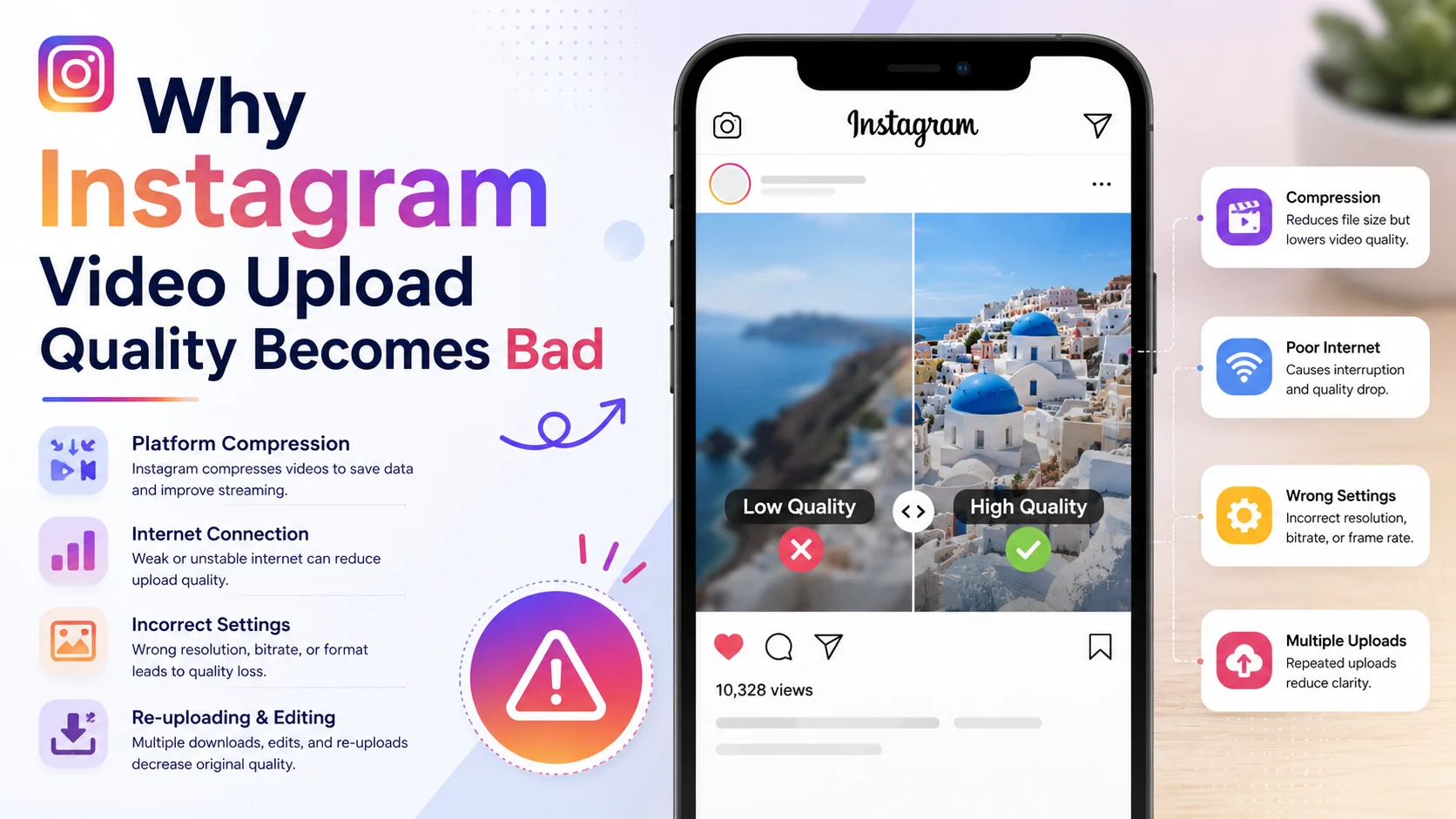
This comprehensive guide explains everything you need to know about Instagram video quality issues, including causes, technical explanations, compression methods, optimization techniques, recommended settings, common mistakes, performance analysis, and actionable solutions to improve your uploads.
What Is Instagram Video Upload Quality?
Instagram video upload quality refers to the visual clarity, resolution, frame rate, bitrate, sharpness, and playback smoothness of videos after they are uploaded to Instagram’s servers. A video that looks crystal clear in your phone gallery may appear blurry or compressed once uploaded because Instagram processes all videos before publishing them.
Instagram automatically compresses videos to reduce storage usage and improve streaming performance for millions of users worldwide. This compression system helps the platform deliver videos quickly across devices and internet speeds, but it can significantly reduce video quality if the original file is not optimized correctly.
Several factors influence Instagram video quality, including:
-
Internet connection stability
-
Original video resolution
-
Bitrate settings
-
Frame rate compatibility
-
Device camera quality
-
Export settings
-
Compression algorithms
-
File format compatibility
-
Mobile data restrictions
For example, a 4K cinematic video edited professionally may still look blurry if exported with incorrect bitrate settings or uploaded over a weak internet connection.
Why Instagram Video Upload Quality Matters
Video quality plays a major role in audience retention and social media success. High-quality visuals help creators appear professional, trustworthy, and engaging. Instagram’s algorithm also tends to favor content that receives higher engagement, and viewers are more likely to interact with videos that look visually appealing.
When Instagram videos become blurry or pixelated, viewers often skip the content within seconds. This decreases average watch time and reduces the chance of reaching larger audiences through recommendations and Explore page placements.
Impact of Poor Video Quality on Performance
|
Factor |
High-Quality Video |
Poor-Quality Video |
|
Viewer Retention |
Higher |
Lower |
|
Engagement Rate |
Better |
Reduced |
|
Brand Trust |
Strong |
Weak |
|
Watch Time |
Longer |
Shorter |
|
Shares & Saves |
Increased |
Limited |
|
Professional Appearance |
Excellent |
Poor |
Businesses and influencers especially need optimized video uploads because audiences often judge credibility based on visual presentation. A blurry product demonstration or unclear tutorial may reduce customer confidence and sales conversions.
How Instagram Video Upload Quality Works
Instagram uses advanced compression technology to optimize videos for fast streaming. Every uploaded video goes through Instagram’s encoding system, which reduces file size while attempting to maintain acceptable quality.
When you upload a video, Instagram typically performs the following actions:
-
Detects the video format and resolution
-
Compresses the file for server optimization
-
Adjusts bitrate and encoding settings
-
Converts unsupported formats
-
Creates multiple playback versions for different internet speeds
-
Optimizes streaming for mobile devices
The platform prioritizes streaming speed and user experience over maintaining original file quality. This is why professionally edited videos sometimes lose sharpness after upload.
Instagram Recommended Video Specifications
|
Setting |
Recommended Value |
|
Resolution |
1080 x 1920 |
|
Aspect Ratio |
9:16 |
|
Frame Rate |
30 FPS |
|
File Format |
MP4 |
|
Codec |
H.264 |
|
Audio Codec |
AAC |
|
Maximum File Size |
4 GB |
|
Bitrate |
3,500–5,500 kbps |
Using settings outside these recommendations may trigger aggressive compression.
Key Features of Instagram Video Processing
Instagram’s video processing system includes several automated features that directly influence upload quality. Understanding these features helps creators optimize content before publishing.
Automatic Compression System
Instagram automatically compresses all uploaded media files. Compression reduces bandwidth usage and improves loading speed for viewers using slower internet connections. However, over-compression often causes:
-
Blurry visuals
-
Pixelation
-
Color loss
-
Reduced sharpness
-
Motion artifacts
Adaptive Streaming Technology
Instagram adjusts playback quality depending on internet speed. Users with slower networks may initially see lower-quality versions of videos until buffering improves.
Mobile Optimization
The platform prioritizes mobile viewing experiences. Since most users watch content on smartphones, Instagram reduces unnecessary file complexity to improve playback efficiency.
Multi-Version Encoding
Instagram creates several versions of uploaded videos for different device capabilities and connection speeds. This explains why the same video may appear different across devices.
Benefits and Advantages of Optimizing Instagram Video Quality
Improving Instagram video upload quality offers multiple benefits for creators, influencers, and businesses. Optimized videos not only look more professional but also improve performance metrics.
Major Benefits
-
Better audience engagement
-
Increased watch time
-
Higher reach potential
-
Improved brand perception
-
Better storytelling quality
-
Enhanced user experience
-
More professional content presentation
Engagement Performance Comparison
|
Video Quality |
Average Watch Time |
Engagement Rate |
|
Excellent |
18–25 seconds |
8–12% |
|
Good |
12–18 seconds |
5–7% |
|
Poor |
3–8 seconds |
1–3% |
Creators who consistently upload high-quality videos often experience faster audience growth compared to accounts with poor-quality content.
Real-World Example
Imagine a travel content creator filming cinematic beach footage using a professional camera in 4K resolution. The original footage appears extremely sharp on the editing software. However, after uploading the video to Instagram Reels, the creator notices:
-
Reduced sharpness
-
Blurry transitions
-
Color banding
-
Grainy shadows
After analyzing the issue, the creator discovers several problems:
-
Exported the video at 60 FPS instead of 30 FPS
-
Used excessively high bitrate
-
Uploaded using weak mobile internet
-
Enabled data saver mode on Instagram
Once these issues were corrected, the upload quality improved significantly.
This real-world scenario demonstrates that Instagram video quality problems usually result from technical mismatches between video settings and platform optimization requirements.
Recommended Usage Guidelines
To maintain high Instagram video quality, users should follow specific optimization practices before uploading content. These guidelines help minimize aggressive compression and preserve clarity.
Best Practices for High-Quality Uploads
-
Export videos in 1080p resolution
-
Use MP4 format with H.264 codec
-
Maintain stable internet connection during uploads
-
Avoid repeated editing and re-exporting
-
Upload using Wi-Fi instead of mobile data
-
Keep frame rate at 30 FPS
-
Use proper lighting during recording
-
Avoid excessive filters or sharpening effects
Recommended Recording Settings
|
Recording Element |
Best Recommendation |
|
Lighting |
Natural or soft lighting |
|
Resolution |
Full HD or 4K |
|
Stabilization |
Use tripod or gimbal |
|
Frame Rate |
30 FPS |
|
Audio |
External microphone preferred |
|
Editing Export |
H.264 MP4 |
Creators should also avoid uploading heavily compressed files from messaging apps like WhatsApp or Telegram because those platforms already reduce quality before Instagram processes the content again.
Common Mistakes to Avoid
Many Instagram users unintentionally reduce video quality because they are unaware of technical optimization methods. Understanding common mistakes can help prevent blurry uploads.
Uploading Over Weak Internet
Poor internet connectivity can interrupt upload processing, causing Instagram to use lower-quality encoding versions.
Incorrect Export Settings
Videos exported with unsupported codecs or unusual aspect ratios often experience additional compression.
Using Excessive Filters
Heavy filters, extreme sharpening, and over-editing may create visual artifacts after Instagram compression.
Repeated Re-Uploading
Every time a video is downloaded and re-uploaded, compression accumulates, leading to progressive quality loss.
Using Data Saver Mode
Instagram’s data saver mode intentionally reduces media quality to minimize mobile data usage.
Who Should Use This Tool?
Understanding Instagram video quality optimization is beneficial for a wide range of users. Anyone who uploads video content regularly can improve performance by learning proper optimization techniques.
Ideal Users Include
-
Social media influencers
-
Content creators
-
Digital marketers
-
Small businesses
-
Photographers
-
Videographers
-
Online educators
-
Brand managers
-
Freelancers
-
YouTubers expanding to Instagram
Even casual users can benefit from improved upload quality because clearer videos create a more enjoyable viewing experience for followers.
Step-by-Step Guide to Improving Instagram Video Upload Quality
Optimizing Instagram video quality requires a structured workflow. Following these steps helps preserve video clarity during uploads.
Step 1: Record High-Quality Footage
Use good lighting and stable recording equipment. Poor original footage cannot be fully fixed later through editing.
Step 2: Edit Using Professional Settings
Edit videos in software that supports high-quality export settings such as Adobe Premiere Pro, Final Cut Pro, or CapCut.
Step 3: Export Using Recommended Specifications
Use the following export settings:
|
Export Setting |
Recommended Value |
|
Format |
MP4 |
|
Codec |
H.264 |
|
Resolution |
1080 x 1920 |
|
Frame Rate |
30 FPS |
|
Bitrate |
4–6 Mbps |
Step 4: Enable High-Quality Uploads on Instagram
Instagram includes an option called “Upload at Highest Quality.”
To enable it:
-
Open Instagram
-
Go to Settings
-
Select Data Usage
-
Turn on “Upload at Highest Quality”
Step 5: Upload Using Stable Wi-Fi
Strong internet connections reduce upload interruptions and help Instagram process videos properly.
Step 6: Avoid Editing After Upload
Deleting and re-uploading repeatedly can reduce performance and create unnecessary compression cycles.
Long-Tail Keyword Applications
Long-tail keywords help improve SEO visibility for website content related to Instagram video quality issues. These keywords target specific search intent and attract highly relevant traffic.
Effective Long-Tail Keywords
-
Why Instagram video upload quality becomes blurry
-
How to fix blurry Instagram Reels
-
Best Instagram video export settings
-
Instagram video compression fix
-
Why Instagram lowers video quality
-
How to upload HD videos on Instagram
-
Instagram Story quality problem solution
-
Improve Instagram Reel upload quality
Semantic SEO Keywords
-
Instagram video resolution
-
Social media video optimization
-
Video compression settings
-
High-quality Instagram uploads
-
Reels quality improvement
-
Mobile video optimization
Using these naturally throughout content improves search engine rankings while maintaining readability.
Data Analysis and Performance Insights
Video quality strongly influences user engagement and audience behavior on Instagram. Content analytics consistently show that viewers prefer visually sharp and professionally optimized videos.
Instagram Engagement Statistics
|
Content Quality |
Average Engagement Increase |
|
HD Optimized Videos |
+42% |
|
Proper Lighting |
+31% |
|
Stable Camera Footage |
+28% |
|
Optimized Thumbnails |
+19% |
|
Correct Aspect Ratio |
+16% |
Graph-Style Data Table: Quality vs Engagement
|
Upload Quality Level |
Watch Time |
Shares |
Saves |
Reach |
|
Excellent ██████████ |
Very High |
High |
High |
Excellent |
|
Good ████████ |
Moderate |
Moderate |
Moderate |
Good |
|
Average █████ |
Medium |
Low |
Low |
Medium |
|
Poor ██ |
Very Low |
Very Low |
Very Low |
Poor |
These trends demonstrate how video optimization directly impacts social media growth and visibility.
Comparison Table: Good vs Bad Instagram Upload Practices
|
Factor |
Good Practice |
Bad Practice |
|
Internet |
Stable Wi-Fi |
Weak Mobile Data |
|
Format |
MP4 H.264 |
Unsupported Formats |
|
Resolution |
1080p |
Low Resolution |
|
Editing |
Balanced Enhancement |
Over-Sharpening |
|
Upload Method |
Direct Export |
Re-uploaded Files |
|
Frame Rate |
30 FPS |
Random FPS |
|
Lighting |
Properly Lit |
Dark Footage |
Following best practices consistently improves overall upload quality and audience satisfaction.
Conclusion
Instagram video upload quality becomes bad primarily because of compression algorithms, incorrect export settings, weak internet connections, unsupported formats, and improper optimization techniques. While Instagram prioritizes streaming efficiency and mobile performance, users can still achieve excellent results by understanding how the platform processes videos.
By using recommended resolutions, stable internet, proper codecs, and optimized export settings, creators can maintain professional-quality uploads that improve engagement, reach, and audience retention. As Instagram continues prioritizing video content, mastering upload optimization becomes increasingly important for creators, influencers, businesses, and marketers worldwide.
High-quality video content not only improves visual appeal but also strengthens brand identity, audience trust, and long-term platform growth.
Strong Call-to-Action
Want your Instagram videos to look sharper, clearer, and more professional? Start optimizing your recording settings, export configurations, and upload methods today. By following the strategies outlined in this guide, you can dramatically improve Instagram video quality, increase engagement, and create content that stands out in competitive social media feeds. Begin applying these optimization techniques now and elevate your Instagram presence to the next level.









