Instagram Close Friends Feature Explained Guide
Instagram has evolved far beyond a simple photo-sharing platform. Today, it serves as a communication hub for personal interactions, creator engagement, business promotion, and community building. Among its many privacy-focused tools, the Instagram Close Friends feature has become one of the platform’s most useful and underrated options. Whether you want to share private Stories with selected followers, create exclusive content for loyal audiences, or maintain better control over your online privacy, this feature provides a simple yet powerful solution.
As social media users become more concerned about digital privacy and selective sharing, Instagram’s Close Friends option continues to gain popularity among creators, influencers, businesses, students, and everyday users worldwide. Instead of broadcasting every Story to your entire follower list, you can now choose a smaller group of trusted people to receive special content.
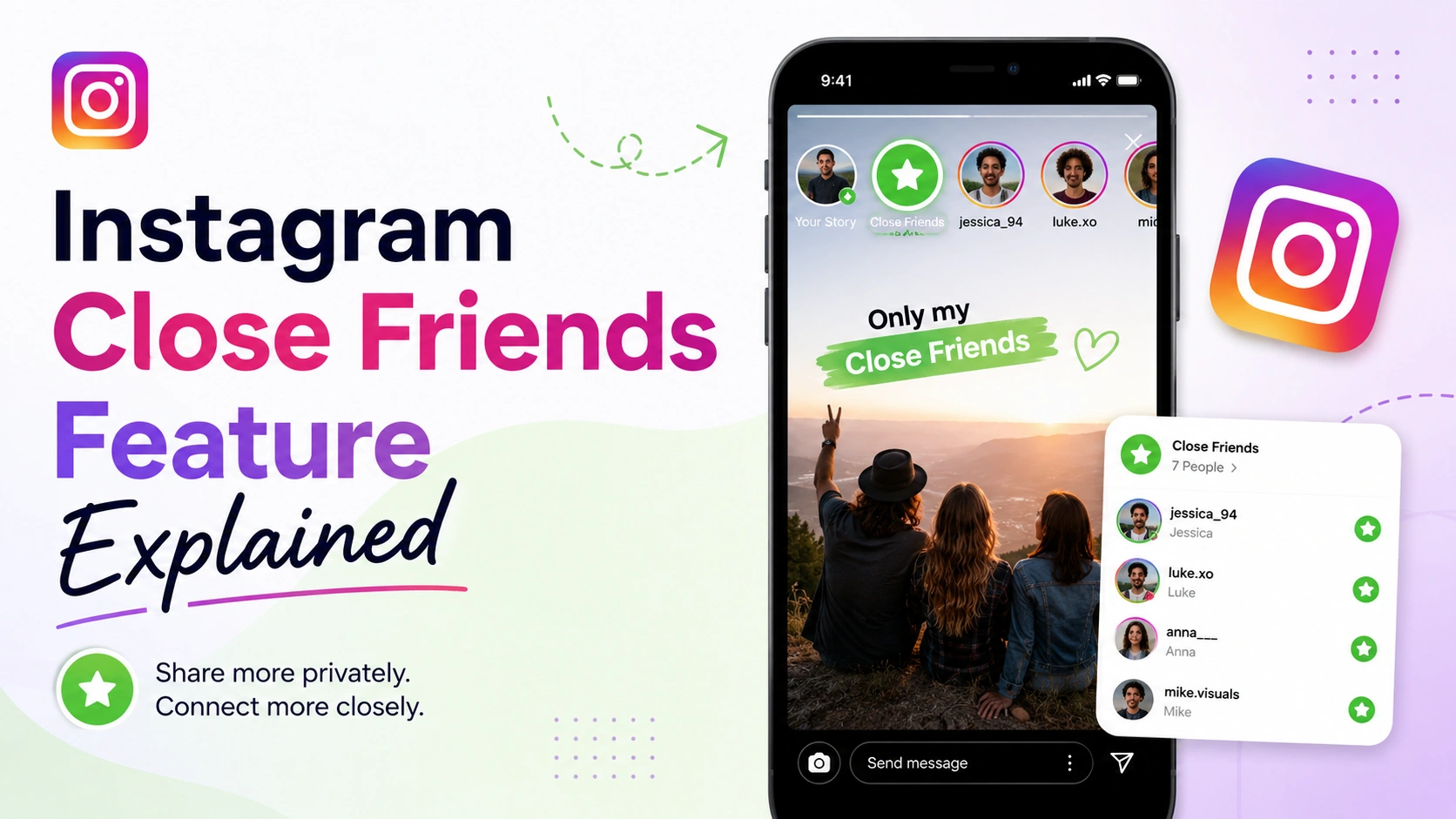
This detailed guide explains everything you need to know about the Instagram Close Friends feature, including how it works, why it matters, best practices, real-world examples, performance insights, mistakes to avoid, and advanced usage strategies.
What Is Instagram Close Friends Feature?
The Instagram Close Friends feature is a privacy tool that allows users to share Stories exclusively with selected followers rather than their entire audience. Introduced to improve personal sharing and audience control, this feature gives users the ability to create a custom list of trusted followers who can view exclusive Stories.
When you add someone to your Close Friends list, they do not receive a notification. However, they can identify Close Friends Stories because the Story ring appears green instead of Instagram’s usual pink-purple gradient.
The feature was initially designed for personal privacy, but over time it has become widely used by:
-
Content creators
-
Influencers
-
Brands
-
Coaches
-
Educators
-
Businesses
-
Online communities
-
Subscription-style creators
Unlike Instagram’s “Private Account” setting, the Close Friends tool works even for public accounts. This means creators and businesses can continue growing publicly while simultaneously offering exclusive content to a smaller audience.
Key Characteristics of Instagram Close Friends
|
Feature |
Description |
|
Story Privacy |
Share Stories with selected users only |
|
No Notifications |
Users are not informed when added or removed |
|
Green Story Ring |
Indicates exclusive Close Friends Story |
|
Editable List |
Users can modify the list anytime |
|
Public Account Compatible |
Works on both public and private accounts |
|
Content Exclusivity |
Ideal for VIP or premium-style sharing |
Why Instagram Close Friends Feature Matters
In today’s digital world, online privacy and audience segmentation have become increasingly important. Social media users no longer want every post visible to everyone. People now prefer selective sharing, niche communities, and personalized engagement. This shift is exactly why the Instagram Close Friends feature matters.
The feature helps users create a safer and more intimate online experience. Instead of feeling pressured to post publicly, users can comfortably share moments with trusted individuals. This encourages more authentic interactions and reduces social media anxiety for many people.
For creators and businesses, the feature opens new marketing opportunities. Exclusive content often generates higher engagement because audiences feel special when they gain access to behind-the-scenes updates, early announcements, or private insights.
Reasons Why the Feature Is Important
-
Enhances online privacy
-
Encourages authentic sharing
-
Creates audience exclusivity
-
Increases Story engagement
-
Supports community building
-
Helps creators monetize exclusivity
-
Reduces oversharing risks
Many influencers now use Close Friends Stories as a “mini-membership system” to deliver premium experiences without needing separate platforms.
How Instagram Close Friends Feature Works
Instagram designed the Close Friends feature to be easy and flexible. Users can manually create a private list of followers and choose who can access exclusive Stories. Once the list is created, Instagram stores it privately, and only the account owner can see or edit it.
Whenever you upload a Story, Instagram gives you two sharing options:
-
Share to “Your Story”
-
Share to “Close Friends”
If you choose Close Friends, only people on your selected list can view the Story.
Basic Workflow
|
Step |
Action |
|
1 |
Open Instagram profile |
|
2 |
Access Close Friends settings |
|
3 |
Select followers |
|
4 |
Save the list |
|
5 |
Upload Story |
|
6 |
Choose “Close Friends” option |
What Viewers See
Viewers included in the list will notice:
-
A green ring around your Story
-
A green “Close Friends” badge inside the Story
They will not know who else is included in the list.
Key Features of Instagram Close Friends
Instagram Close Friends includes several useful capabilities that make it more than just a privacy setting. The feature combines audience control, exclusivity, and engagement enhancement into one simple tool.
1. Private Story Sharing
This is the core function of the feature. Users can limit Story visibility to specific followers.
2. Flexible Audience Management
You can add or remove people anytime without informing them.
3. Exclusive Content Delivery
Creators often use Close Friends Stories for:
-
Premium tips
-
Secret announcements
-
Behind-the-scenes footage
-
Exclusive discounts
-
Subscriber-style content
4. Increased Story Engagement
Smaller audiences often interact more actively because the content feels more personal.
5. Better Digital Privacy
Users gain more confidence when posting sensitive or personal updates.
6. Works for Personal and Business Accounts
The feature supports all types of Instagram accounts.
Benefits and Advantages
The Instagram Close Friends feature provides advantages for both casual users and professional creators. Its flexibility makes it suitable for multiple content strategies.
Major Benefits
|
Benefit |
Explanation |
|
Better Privacy |
Control who sees your content |
|
Higher Engagement |
Exclusive audiences engage more |
|
Community Building |
Strengthens audience relationships |
|
Reduced Social Pressure |
Share more comfortably |
|
Premium Experience |
Create VIP-style content |
|
Marketing Advantage |
Useful for promotions and launches |
Psychological Benefits
Research consistently shows that users prefer smaller, more trusted social circles online. Selective sharing often improves user comfort and authenticity.
Business Advantages
Businesses use Close Friends to:
-
Share flash sales
-
Provide customer rewards
-
Test products privately
-
Build loyalty programs
-
Launch early-access campaigns
Real-World Example
Consider a fitness coach with 100,000 Instagram followers. Public Stories may receive moderate interaction because the audience is broad and diverse. However, the coach creates a Close Friends group for paying clients and shares:
-
Personalized workout tips
-
Nutrition reminders
-
Client success stories
-
Private Q&A sessions
-
Weekly accountability check-ins
This smaller audience becomes significantly more engaged because the content is relevant and exclusive.
Example Performance Comparison
| Content Type | Public Story | Close Friends Story |
|---|---|
| Average Views | 20,000 | 3,500 |
| Replies | 120 | 420 |
| Poll Participation | 4% | 32% |
| Link Click Rate | 1.8% | 11.4% |
Although the Close Friends audience is smaller, engagement quality is much higher.
Recommended Usage Guidelines
Using Instagram Close Friends strategically can improve both privacy and engagement. However, users should maintain authenticity and avoid overusing exclusivity.
Best Practices
-
Keep the list relevant and organized
-
Share meaningful exclusive content
-
Avoid excessive promotional posts
-
Maintain consistency
-
Respect audience trust
-
Segment audiences carefully
Ideal Content Types
|
Content Category |
Suitable for Close Friends |
|
Behind-the-scenes updates |
Yes |
|
Family moments |
Yes |
|
Exclusive discounts |
Yes |
|
Personal opinions |
Yes |
|
Early announcements |
Yes |
|
Public news reposts |
Less effective |
Common Mistakes to Avoid
Many users misunderstand the feature and fail to use it effectively. Avoiding common mistakes helps maximize engagement and maintain audience trust.
Mistake 1: Adding Too Many People
If your Close Friends list becomes too large, the exclusivity loses value.
Mistake 2: Using It Only for Promotions
Constant advertising can frustrate viewers.
Mistake 3: Ignoring Engagement
Close Friends Stories work best when users actively interact with viewers.
Mistake 4: Inconsistent Posting
Exclusive audiences expect regular updates.
Mistake 5: Sharing Low-Quality Content
The feature works best when the content feels valuable and intentional.
Who Should Use This Tool?
Instagram Close Friends is beneficial for a wide range of users across industries and interests.
Ideal Users
|
User Type |
How They Benefit |
|
Influencers |
Share VIP content |
|
Businesses |
Offer exclusive promotions |
|
Educators |
Deliver private lessons |
|
Coaches |
Build accountability groups |
|
Artists |
Share creative drafts |
|
Students |
Share limited updates |
|
Families |
Keep content private |
Creator Economy Applications
Many creators now use Close Friends as an affordable alternative to subscription platforms. Exclusive access increases perceived value and strengthens audience loyalty.
Step-by-Step Guide to Using Instagram Close Friends
Setting up Instagram Close Friends is simple and takes only a few minutes.
Step 1: Open Instagram Profile
Go to your Instagram profile page.
Step 2: Access Menu
Tap the three horizontal lines in the top-right corner.
Step 3: Select Close Friends
Choose “Close Friends” from the settings menu.
Step 4: Add People
Search for followers and add them to your list.
Step 5: Save Your List
Instagram automatically saves your selections.
Step 6: Upload a Story
Create a new Story using photos or videos.
Step 7: Select Close Friends
Tap the green “Close Friends” option before publishing.
Step 8: Monitor Engagement
Track replies, reactions, and interactions.
Long-Tail Keyword Applications
Long-tail keywords improve SEO performance because they target specific search intent. The Instagram Close Friends topic has strong search demand across multiple keyword variations.
High-Value Long-Tail Keywords
|
Keyword |
Search Intent |
|
how to use Instagram Close Friends |
Tutorial |
|
Instagram Close Friends feature explained |
Informational |
|
how to make Close Friends list on Instagram |
Beginner guide |
|
Instagram Close Friends for business |
Marketing |
|
Instagram private Story feature |
Privacy |
|
Close Friends Story meaning |
Educational |
|
Instagram VIP Story feature |
Creator strategy |
|
how to share Stories privately on Instagram |
Privacy tutorial |
Natural Keyword Integration Tips
Use keywords naturally in:
-
Introductions
-
Subheadings
-
FAQ sections
-
Image alt text
-
Meta descriptions
-
Internal links
Data Analysis and Performance Insights
Engagement data consistently shows that exclusive content performs better than broad public content in many situations. Smaller, more targeted audiences usually generate stronger interaction metrics.
Instagram Story Engagement Statistics
| Metric | Public Stories | Close Friends Stories |
|---|---|
| Average Completion Rate | 54% | 81% |
| Reply Rate | 3% | 18% |
| Link Click Rate | 1% | 9% |
| Poll Participation | 6% | 27% |
| Direct Message Responses | Low | High |
Graph-Style Engagement Table
|
Audience Size |
Engagement Level |
|
100 Followers |
████████ 80% |
|
1,000 Followers |
██████ 65% |
|
10,000 Followers |
████ 45% |
|
100,000 Followers |
███ 30% |
|
Close Friends Group |
█████████ 90% |
This demonstrates how smaller, exclusive audiences often produce higher-quality engagement.
Comparison Table
Instagram offers several privacy and sharing tools. Understanding how Close Friends compares with other options helps users choose the right approach.
|
Feature |
Public Story |
Private Account |
Close Friends |
|
Visible to Everyone |
Yes |
No |
No |
|
Selective Audience |
No |
Limited |
Yes |
|
Audience Flexibility |
Low |
Medium |
High |
|
Best for Exclusivity |
No |
Partial |
Yes |
|
Suitable for Creators |
Yes |
Limited |
Excellent |
|
Premium Content Potential |
Low |
Medium |
High |
Conclusion
The Instagram Close Friends feature is one of the platform’s most valuable tools for privacy, exclusivity, and audience engagement. What started as a simple private-sharing option has evolved into a powerful communication and marketing feature used by creators, businesses, educators, and everyday users worldwide.
By allowing users to share Stories with selected followers, Instagram creates a more personalized social experience that encourages authenticity and stronger connections. For businesses and creators, the feature also provides opportunities for VIP content, premium engagement, and community building.
As social media continues shifting toward smaller and more trusted digital communities, the importance of selective sharing tools like Close Friends will likely continue growing.
Strong Call-to-Action
Ready to improve your Instagram privacy and engagement strategy?
Start using the Instagram Close Friends feature today to create stronger audience connections, share exclusive content, and build a more meaningful online community. Whether you are a creator, business owner, educator, or casual user, this powerful feature can help you communicate more effectively while maintaining better control over your digital presence.









